

Produktdetaljer
ISBN
9780133120325
Publisert
2015
Utgave
1. utgave
Utgiver
Pearson Technology Group
Språk
Product language
Engelsk
Format
Product format
Digital bok
Forfatter
Digital bok /
2015
/ Engelsk
114,-
Laveste pris siste 30 dager: 114,-
Dette er en digital bok som er bundet til bokleseren Bookshelf. Du vil få en aktiveringslenke på e-post når du har fullført kjøpet.
Klikk her for mer info.
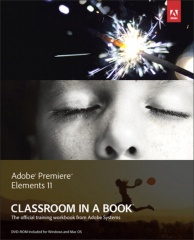

Adobe Premiere Elements 11 Classroom in a Book is the most thorough
and comprehensive way for you to master all the new features in
Adobe's top-rated consumer-targeted video-editing software. Each
chapter in this step-by-step, project-based guide contains a project
that builds on your growing knowledge of the program, while
end-of-chapter review questions reinforce each lesson. You will learn
the basics of editing your videos with Premiere Elements and learn how
best to use the program's many new features. In this new version of
the book you will receive complete coverage of all the new features
and rebuilt interface of Adobe Premiere Elements 11. Learn about the
three easy-to-use editing modes and determine which one best fits your
needs. Manage your footage more easily with the newly updated
Organizer and view your videos on a map according to where they were
taken. Use the new FilmLooks feature to apply favorite cinematic
styles to your clips. Add slow- or fast-motion effects to dramatize
your narrative. Adjust color with greater ease and enhance your
footage with new photo-blending techniques. Share your finished movies
virtually anywhere you want, including Vimeo, Facebook, and YouTube.
Note from the Publisher: Regrettably, the file named Greenscreen.mov
in the Lesson 6 folder on the companion disc is corrupt. However, that
same file is included multiple times on the disc (in lessons 7, 8, 9
and 10), so please copy a file from any of these folders into the
lesson06 folder on your hard drive (copying over the existing file)
and the exercise should load normally. We apologize in advance for any
inconvenience.
Les mer
Adobe Premiere Elements 11 Classroom in a Book is the most thorough
and comprehensive way for you to master all the new features in
Adobe's top-rated consumer-targeted video-editing software. Each
chapter in this step-by-step, project-based guide contains a project
that builds on your growing knowledge of the program, while
end-of-chapter review questions reinforce each lesson. You will learn
the basics of editing your videos with Premiere Elements and learn how
best to use the program's many new features. In this new version of
the book you will receive complete coverage of all the new features
and rebuilt interface of Adobe Premiere Elements 11. Learn about the
three easy-to-use editing modes and determine which one best fits your
needs. Manage your footage more easily with the newly updated
Organizer and view your videos on a map according to where they were
taken. Use the new FilmLooks feature to apply favorite cinematic
styles to your clips. Add slow- or fast-motion effects to dramatize
your narrative. Adjust color with greater ease and enhance your
footage with new photo-blending techniques. Share your finished movies
virtually anywhere you want, including Vimeo, Facebook, and YouTube.
Note from the Publisher: Regrettably, the file named Greenscreen.mov
in the Lesson 6 folder on the companion disc is corrupt. However, that
same file is included multiple times on the disc (in lessons 7, 8, 9
and 10), so please copy a file from any of these folders into the
lesson06 folder on your hard drive (copying over the existing file)
and the exercise should load normally. We apologize in advance for any
inconvenience.
Les mer
Produktdetaljer
ISBN
9780133120325
Publisert
2015
Utgave
1. utgave
Utgiver
Pearson Technology Group
Språk
Product language
Engelsk
Format
Product format
Digital bok
Forfatter